
POD quality control checklist: print, color, size, packing
In POD, a defective item means a reprint, extra shipping and a bad review. We put everything you need to check at the print, color, size and packing steps into one list, so you catch problems before the order leaves the shop.

Mistakes are expensive in POD. A shirt shipped in the wrong size means a reprint, a second shipment and, often, a negative review on the seller's store. And because every item in a single-unit order is different, catching errors is harder than in wholesale work: there is no "first sample" to check, every order is its own sample.
In this post we pull together, as a checklist, what to look at in every step a POD order goes through in the shop. The list is written both for shops and for sellers who want to understand product quality.
1. Order matching: don't print the wrong item
A large share of errors happen before printing, not at the printer. The right file goes on the wrong shirt, or the right shirt goes out in the wrong size. That is why the first step on the checklist is the order itself.
- Does the product model match the order? A Gildan 64000 and a Bella+Canvas 3001 can look alike on the shelf.
- Are the color name and shade correct? Close shades such as "heather" and solid colors are often mixed up.
- Are the size and cut correct? Adult, youth, kids and women's cuts should be checked separately.
- Is the quantity correct? One order can contain more than one line item.
- Is the print location correct? There can be more than one print area: front, back, pocket, sleeve.
- Does the design file belong to this order? Compare the file name and preview against the order.
2. Blank check: look at the garment before printing
A defective item that has already been printed goes in the trash; a defective blank caught before printing simply goes back on the shelf. A few seconds of looking at the shirt before it goes to print is the cheapest quality control there is.
- Are there stains, holes, snags or broken seams?
- Does the size on the tag match the order?
- Is there lint, loose thread or dust on the fabric? Clean it before printing.
- For DTG on dark garments, was the pretreatment applied evenly and fully dried?
3. Print check: placement, size, completeness
The first thing a buyer notices is where the print sits. If the print on a shirt is slightly off to one side or too low, the item is perceived as defective. A shop should have a written placement standard for every model and size: distance below the collar and alignment to the center line.
- Is the print on the center line, or crooked?
- Does the distance from the collar meet the shop standard?
- Is the print size right for the size and the design?
- Are there missing areas, lines, banding or spatter?
- Is the white underbase spilling past the edges?
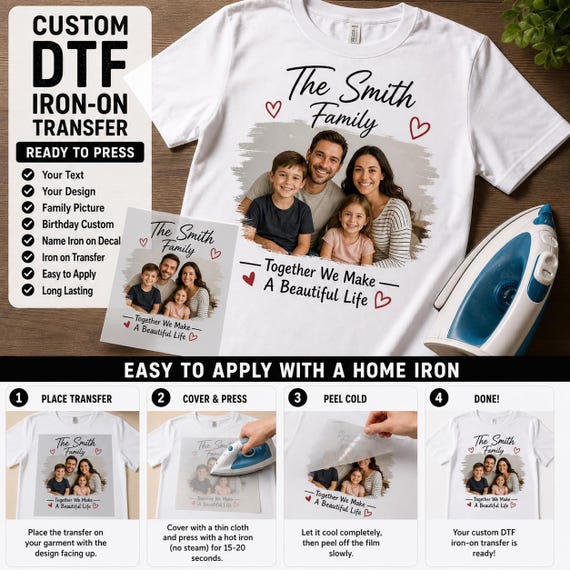
- For DTF, is the transfer fully bonded on all edges, or are the corners lifting?
4. Color check: screen and fabric are not the same
The designer sees color on a screen; the buyer sees it on fabric. Screens emit light, fabric reflects it, so some bright and neon shades don't come out as vivid on fabric. What you are checking is not an exact match but consistency: the same design should look the same today and next week.
- Are the colors consistent with the previous print? Keep reference photos for repeat designs.
- Do colors look washed out on dark fabric? Is the white underbase sufficient?
- Are black areas blending into the fabric color?
- Is there any color shift or yellowing after curing?
5. Final check and packing
Packing is the last step of quality control. The item is compared with the order one more time and prepared so it makes the right first impression when it reaches the buyer.
- Compare the item with the order one last time: model, color, size, design, quantity.
- Make sure the item has cooled after curing or pressing; folding a hot item can leave marks.
- Fold the shirt neatly; don't crease the print surface.
- Put the item in a clean poly bag; protect it from moisture and dirt.
- If the same customer has more than one item, check that they are all in the package.
- Check that the recipient name and address on the shipping label match the order.
- Don't put internal documents with cost or price information in the package.
Checklist summary
| Step | What to check | Common mistake |
|---|---|---|
| Order matching | Model, color, size, quantity, print location, file | Mixing up close shades or similar models |
| Blank | Stains, holes, seams, tag size | Printing on a defective blank |
| Placement, size, completeness, edges | Crooked print or print placed too low | |
| Color | Consistency, saturation on dark fabric | Faded color, insufficient white layer |
| Curing and pressing | Hand feel, adhesion, cracking | Lifting DTF corners, incomplete cure |
| Packing | Folding, poly bag, combined orders, label | Missing item, wrong label |
When something goes wrong: keep a log
No shop works with zero errors; what matters is that the same error doesn't happen twice. Keep a short record for every defective item: at which step it happened, why it happened, what changed. Reviewing these records weekly shows which station needs strengthening: matching, printing or packing.
On the Custombull side, the quality promise is clear: Custombull checks and guarantees the quality of every product. When a defective item reaches a customer, the seller reports it with a photo from the order screen, and the seller is refunded with no questions asked or the item is reprinted for free. That is why producers in the network are expected to check the product, color, size and file before printing.
Frequently asked questions
Do I need to photograph every order?
It's not required, but it's a good habit. A photo taken before packing shows the condition the item left in if a complaint comes in later, and it is useful for your internal error log too.
As a seller, how can I check product quality?
The best way is to order samples of the products you sell. Holding the product yourself lets you give your customers accurate information about the fabric, print and color.
Doesn't quality control slow things down?
A well-designed check takes a few seconds per step. A reprint of a defective item, a second shipment and the customer back-and-forth take much longer.