
Setting up a print on demand store on Shopify: a step-by-step 2026 guide
Opening a Shopify store takes an hour; building a POD store that's ready to sell and earns trust takes doing things in the right order. We walk through the steps, from your domain to the producer connection.
 One dashboard


 TikTok Shopsoon
Shopify is an e-commerce platform where you sell under your own domain and brand. The difference from marketplaces: the customer is your customer, and the store's look and prices are fully under your control. Combined with the POD model, you can sell t-shirts, sweatshirts and hoodies under your own brand without holding inventory.
In this guide we lay out the sensible order for building a POD store on Shopify from scratch. The goal is a store that earns trust from the first visitor, with clean products and orders that flow automatically.
1. Account, plan and domain
Shopify offers new accounts a 3-day free trial, followed by a starter offer of $1 per month for 3 months. That's enough time to build the store and upload your first products. Plan prices may be displayed differently by region; check the current figures at shopify.com/pricing. We cover plans and costs in detail in a separate post.
Buy your domain on day one. A short, memorable .com that matches your store name is a trust signal for American buyers. You can sell with the myshopify.com address Shopify gives you, but it doesn't look professional.
2. Niche and brand decisions
On marketplaces, listing products across hundreds of different topics can work; on Shopify, your store needs an identity. When a visitor lands on the homepage, they should be able to answer “who is this store for?” within a few seconds. Choosing a clear audience, such as divers, nurses, dog owners or residents of a particular city, makes both advertising and repeat sales easier.
3. Theme and core pages
Shopify's free themes are enough for a POD store. Focus on content more than the theme. Pages your store should have:
- Homepage: a clean layout that shows your audience and best-selling products.
- Collections: t-shirts, sweatshirts, hoodies or theme-based groups.
- Size chart: separate measurements for each product model; the most effective way to reduce apparel returns.
- Shipping and delivery policy: state production and shipping times clearly.
- Return and exchange policy: explain clearly what happens with defective items, wrong sizes and similar cases.
- Contact and about: a short, genuine text about who you are.
4. Product and variant structure
On Shopify, every product has a title, description, images and variants (color, size). Getting the product structure right from the start in a POD store saves time later when you manage hundreds of products.
- Choose your blank model: Gildan 64000 stands out on price, Bella+Canvas 3001 for its soft feel, and Comfort Colors 1717 for its heavy garment-dyed look.
- Keep the color count limited: 5-8 colors that suit each design sell better than a scattered range of 30.
- Set the size range: S to 3XL; reflect the cost difference of larger sizes in the price.
- Set up your SKU scheme: give every variant a unique SKU; the order goes to the producer with the right product through this code.
- Prepare mockups: the first image should show the product clearly, while other images use lifestyle shots and the size chart.
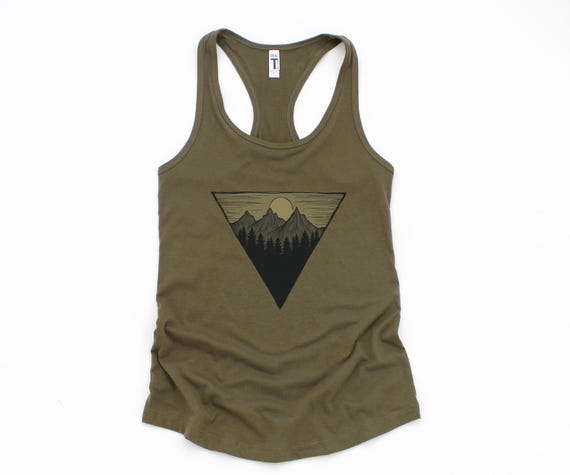
Starting prices on Custombull with printing included: Gildan 64000 $6.50, Next Level 1533 women's tank $9.50, Bella+Canvas 3001 $10.50, Comfort Colors 1717 $11.00, Gildan 18000 sweatshirt $12.00, Gildan 18500 hoodie $15.00. You can save your color and size options once as a template and apply them to all your products.
5. Producer connection: let orders flow on their own
In a POD store, when an order comes in, the right design has to reach the producer with the right product, color and size. Doing this by hand is possible for the first few orders, but it becomes error-prone as sales grow.
When you connect your store with the Custombull Shopify app, orders arrive in the dashboard automatically, and the correct design file for each order is found and made print-ready. The product is printed, packed and shipped by the best-fit producer for that order in our partner production network in the US. Orders from the same customer can be combined into one package.
Custombull checks and guarantees the quality of every product: if a defective item reaches your customer, just report it with a photo from the order screen, and you get a no-questions-asked refund or a free reprint. When you sell under your own brand, this guarantee lets you write your return policy with confidence.
6. Fill the store quickly
An empty store doesn't earn a visitor's trust. If you already have a catalog on Etsy, you can transfer products to Shopify instead of writing them from scratch. On Custombull, product transfers between your connected stores are created as drafts first and published once you approve; SKUs are preserved and variants are adjusted to each channel's rules.
You also have two ways to grow the catalog with new products: upload your own designs, or let Custombull produce them. Automated Production scans trend sources to find ideas, creates the design with AI, prepares the mockups and listing copy, and runs a copyright scan. A block of 100 products costs $25 (or 63 credits).
7. Tracking and customer experience
In your own store, the customer experience belongs entirely to you. After an order, “Where is my order?” is the most common message. Custombull creates a tracking page for every order, in the customer's language, that opens with your store name, logo and color. From this page the customer follows the order step by step, writes questions and sends personalization requests such as a name, text or color note. Your costs, address and internal notes are never shown.
8. Pre-launch checklist
- Is the domain connected and the payment method tested?
- Are the shipping, return and privacy policies written?
- Does every product have a size chart?
- Does every variant have a unique SKU?
- Have the designs been checked for copyright and trademark risk?
- Has the order flow been tested all the way to the producer with a test order?
Custombull's copyright check compares your design and title against known brands and characters and tells you why something is risky; 1 credit per product. On your own store, an intellectual property complaint can cause problems with your payment provider and with Shopify.
Frequently asked questions
Do I need a company to sell on Shopify?
Shopify does not require a company to open an account, but payment methods may require different documents depending on your country. If you plan to sell regularly from Turkey, it's wise to talk to an accountant.
Where does traffic come from on Shopify?
Unlike marketplaces, on Shopify you bring the traffic: social media, ads, email and content. We cover this in a separate post.